You can take some stunning images outside with your Canon Rebel T7 DSLR camera, but you will need to adjust a few settings to do this. Here is a quick guide on how to take outdoor portraits with your Canon Rebel T7.
First, you should change the camera’s mode by adjusting it to the aperture priority mode. It will give you the freedom to control the depth of the field in your images and create a pleasant and blurred background behind your subjects. To do this, simply turn the mode dial on your camera to “Av.”
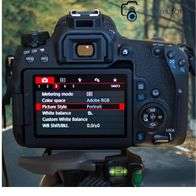
Next, you’ll need to set your aperture. For outdoor portraits, you’ll want to use a wide aperture, around f/2.8 or f/4. This will give you a shallow depth of field, which is perfect for isolating your subjects against a beautiful background.
Once you’ve set your aperture, it’s time to adjust your shutter speed.
The shutter speed you use will depend on the amount of light available, but as a general rule of thumb, you’ll want to use a faster shutter speed when shooting in brighter conditions. If it’s a cloudy day, you can get away with a slower shutter speed, around 1/60th of a second. But if it’s a sunny day, you’ll need to use a faster shutter speed, about 1/250th of a second.
Finally, you’ll need to adjust your ISO. The ISO you use will again depend on the amount of light available, but as a general rule, you’ll want to keep your ISO as low as possible. In addition, it will help to block noise and grain in your images. So, if it’s a cloudy day, you can use a lower ISO, around 100 or 200. But if it’s sunny, you’ll need to use a higher ISO, about 400 or 800.
By following these simple tips, you’ll be able to take stunning outdoor portraits with your Canon rebel t7. So go ahead and give it a try!
Find out related articles-