If you’re a photographer looking to add some panoramic shots to your portfolio, you’ll need to know how to shoot panoramas with a DSLR camera. Here are some tips and tricks to help you get started:
Choose The Right Lens
For panoramas, you’ll want to use a wide-angle lens with a field of view of at least 90 degrees.
Set Up Your Tripod
Since you’ll be taking multiple shots and stitching them together, keeping your camera entirely still is essential. A tripod can help in this matter.
Use Manual Mode
You should set your camera to the accurate aperture and shutter speed. To do this, you need to change and set the mode of the device to manual.
Overlap Your Shots
When taking your shots, make sure to overlap each one by about 30%. This will give you some leeway when stitching the photos together later.
Use A Remote Shutter Release
This will help decrease camera shaking and confirm your shots are sharp and accurate.
With these tips in mind, you should be able to get some incredible panoramic shots with your DSLR camera.
The Best Way To Shoot Panoramas With A DSLR Camera
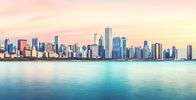
If you’re a photographer looking to up your game, shooting panoramas with a DSLR camera is a great way to do it. Here’s the best way to go about it:
First, find a subject you want to capture in a panoramic shot. It can be a cityscape, landscape, or a group of people. Once you have found your topic, position the camera on a tripod against the target and focus.
Next, it’s time to start shooting. To do this, you’ll need to take a series of photos, moving the camera slightly each time. The number of images you’ll need to take will depend on the width of the panorama you’re trying to capture.
Once you’ve taken all the needed photos, invest time to attach them. Several software programs can do this, but people mainly use Adobe Photoshop.
And that’s it! With a bit of practice, you’ll be shooting stunning panoramas in no time.
DSLR Camera Settings For Shooting Panoramas
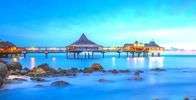
If you’re looking to shoot panoramas with your DSLR camera, there are a few key settings you’ll need to adjust.
First, you’ll want to set your camera to shoot in RAW format. It will give you flexibility while editing photos later.
You’ll also want to set your camera to a high-resolution setting, such as 24 megapixels or higher. This will ensure that your photos are high quality and look great when printed or viewed on a large screen.
Next, you’ll need to adjust your camera’s shutter speed and aperture settings. The shutter speed should be 1/30 or slower, which is ideal for panoramas.
It will let you capture a more comprehensive viewing field without blurring your photos. You can apply a wide aperture setting, like f/8 or more expansive. The benefit of using this setting is that all your photos are focused.
Once you’ve adjusted your camera settings, you’re ready to start shooting! To capture a panorama, simply drill a series of photos while panning your camera from left to right. Be sure to overlap each image by about 30%, so you can later stitch them together seamlessly.
When you’re done shooting, simply transfer your photos to your computer and use photo editing software to stitch them together. With a bit of practice, you’ll be able to shoot stunning panoramas that will wow your friends and family!
check out related articles-